Blog

  • How to lovingly respond to Christian spam

    Is there anything worse than spam from fellow Christians ?Who knew joining a new church or Bible study could be so dangerous? That was my thought at my last church after I mistakenly shared my email with other members of the Sunday morning Bible study – as no sooner than I had gotten home I began to receive emails about how Madalyn Murray O’Hair is conspiring with space aliens from the grave to take images of the Cross off the airwaves.

    And no sooner had I responded, nicely and in Christian love to please stop forwarding me such ‘hoax mail‘ did I receive a scathing reply accusing this died-in-the-wool conservative of being a commie pinko, tax-n-spend liberal whose Christianity was called into question for even for a second considering any and all such messages to be urban legends … let alone spam.

    I think I still have some on file that I need to dig up just for grins … but I digress.

    The point is, most members of the HYCW audience are in the same camp as I. That is:

    1. We prefer to get our latest and greatest news updates from our feed aggregators, not email. We assume this of our friends as well;
    2. We tend to not believe everything we read but instead take Paul’s advice to the 1 Thessalonians 5:21 and “test everything” against the snopes urban legend database;
    3. We believe that there is no need to cut-and-paste any article that is on the web when it is far more considering to write a single original sentence describing why the content is so compelling that ends with the URL of online article;
    4. We get really, really grumpy when we see our email addresses exposed with several hundred in the others by an individual forwarding a message without the benefit of using or understanding the purpose and benefits of their email program’s BCC feature; and
    5. We’ve received enough of this Christian spam that we don’t even bother to read it before summarily pressing the delete button.

    so ask yourself - how do you teach, rebuke, correct & train your Christian spammy friendsBut enough about ‘we’ as this unfortunate but all-to-common occurrence raises the uncomfortable question “how does one go about teaching, rebuking, correcting &/or training such a ‘friend’ in righteous email netiquette?

    Glad you asked.

    As I recall the numerous instances where I was excoriated for:

    • asking nicely not to be included in such distributions;
    • informing the sender that the content was probably false;
    • that exposing my email address in such distributions potentially exposed me to professional spammers further down the chain; and
    • anything worth cutting and pasting is probably already posted as a page on the web;

    I realize that there’s no need for this messenger to continually expose himself to such emotional gunfire when there are already a number of web pages and services that will do the dirty work for me.

    Most recently, the good folks over at LifeHacker fielded a poll entitled “Email Etiquette Pages Explain So You Don’t Have To” – offering individuals to vote on which ‘tell a friend they’re spammin’ya crazy‘ service they use:

    • Thanks. No – for opting out of all types of unwanted email;
    • BCC Please – for requesting the sender doesn’t expose your email address to a large list;
    • Sentenc.es – for explaining your email brevity; and
    • Waiting-For.com – to let your recipient know you’re waiting to hear back from them.

    Had said survey not been closed, I might have possibly recommended some other pages that also go into detail over what’s proper and what’s not in terms of one’s SMTP activities, including:

    use this service the next time you get hit with Christian spamNote that I said “I might have possibly recommended some other pages” … this is because old ‘never met a Software as a Service he didn’t like’ author has found via the folks at AppScout a nice, free little online service offered by the generous and thoughtful folks at StopForwarding.Us.

    What this neat little online tool does is simply send an anonymous email to the church spammer of your choice that sheds the light truth on said sinner’s incorrect use of the forward feature on their email program. Here’s a sample I sent myself:

    Hi Dean is testing this service,

    One of your friends has sent you this message from StopForwarding.Us, a website that allows individuals to anonymously email their friends and politely ask that they stop the habit of sending forwarded emails or FWDs.

    Please do not forward chain letters, urban myths presented as truth, potentially offensive jokes, videos or photos without being asked or first receiving permission. If you find something that is funny and it is clean and you genuinely think the recipient will enjoy it then foward it to that person only (not in an email blast to all your friends and family) and include a personal note about why you enjoyed it and why you think they will too. Avoid sending forwards to friends or relatives that you’ve grown distant with. It can be frustrating for the recpient when the only correspondance you have with someone is via impersonal, unwanted email.

    For more tips on email etiquette, visit StopForwarding.Us/etiq.html

    Thank you,
    A Friend (via stopforwarding.us)

    And if that doesn’t work – send’m here to this post for a dose of tough love.

    Now pardon me while I get some wiki work over at blogJordan.com.

  • 5 things we can learn from the Winston-Salem Hampton-Inn Toaster Czar

    See why the Soup Nazi is a bad model for supporting users of your church and/or charity website .This weekend, I ran into an elderly gentleman whom appointed himself the ‘Toaster Czar’ in a fashion similar to the infamous ‘Soup Nazi‘ of Jerry Seinfeld fame. I made the mistake leaving my bagel momentary unattended to go get coffee while trying to enjoy the complimentary breakfast at the Hampton Inn Winston-Salem-I-40/Hanes Mall. Here are 5 things your church and/or charity webmaster can learn from this experience:

    1. don’t assume you know your user’s context;
    2. don’t assume you know your users work-flow;
    3. don’t assume you know what’s best for your user;
    4. don’t assume your user will appreciate your intervention; and
    5. don’t assume your user is stupid.

    Note that all 5 points deal with assumptions. For example, regarding context, one might assume that the individual pictured below is waving and saying “hellooo” – or they could be waving us off saying “noo.”

    bagels enjoyed in the public setting of the Hampton Inn Hotel lobby

    Another example, regarding knowing what’s best, thinking they are stupid and/or not understanding their work-flow, the aforementioned toaster czar possibly assumed that the unattended bagel in slots 1 and 2 of a 4 slot toaster were either:

    • done;
    • done enough;
    • abandoned;
    • in his way; and/or
    • there to annoy him

    Whether or not my opinion of his motives are correct, my view is that he potentially didn’t take into consideration the following user-centric scenarios:

    • some like to eat their bagels in the context of their coffee;
    • some like to engage in a work-flow that includes getting coffee while the bagel toasts;
    • some are confused when 1 slice of the bagel remains in the toaster while the other sits on the counter, replaced by some one else’s bagel half;
    • some lose their appetite when others not involved in food services touching their food; and
    • some don’t like being treated as if they are the problem when in fact all they wanted to do was toast their bagel and eat breakfast in relative peace.

    In the same way, you as church webmasters should consider that your users:

    • may like to consume your church website content in some other context other than initially planned – for example, aggregators and/or mobile phones come to mind;
    • may like to consume your charity website in an order other (work-flow) than initially imagined and/or programmed – for example, site navigation through search engines comes to mind;
    • may need more information when things operate outside of normal expectations – for example, more informative 404 errors for pages not found come to mind;
    • Click here to see a video about Nick Burns, a hilariously popular character of former SNL funnyman Jimmy Fallon.may get turned-off if they find content they contributed modified without annotation – for example, modifying a user’s comment on a church blog or bbs without noting it was edited by a moderator or admin will drive users away permanently;
    • may not want nor like the Jimmy Fallon/Nick Burns ‘Your Company’s Computer Guy‘ approach to web site support (let alone a communal toaster).

    Bottom line, don’t be a toaster czar.

    Treat users as you would guests in your house, not as idiot low-life’s whom annoy by making you wait an extra minute or two simply because they happened to get to the proverbial toaster 30 seconds before you did.

    In other words, you are not your users – so don’t assume you completely understand their interface to your system without collecting realistic and specific usage metrics and spending some time setting next to them while they demonstrate how they navigate your site the way they do, and why.

    What about you? Got a similar story or useful use case/test scenario to share? Leave comment in love!

    In the meantime I leave you with this aggregation from the above caricatures : “moooove … no soup for you!… was that so hard? … come back, 1 year … you’re Welcome

  • 5 things we can learn from the office candy machine

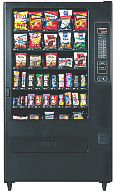
    Office vending machine filled with stuff nobody wants.I just overheard a useful conversation between two vending machine operators while loading up our office junk food dispenser with a bunch of products that didn’t sell last week. It is if nothing else, an object lesson in contrast to my oft quoted aphorism “solve their problems, don’t tell them yours.” Here are 5 things we can in turn do in contrast to improve the user experience on our church and/or charity websites …

    … but first a bit of context.

    Last week I was working late, so I went to the vending machine to purchase some sugar-free Dentyne chewing gum. The machine was out – so were most the low-cal, low-carb consumables. The next day I noted the machine restocked, only the empty slots instead of offering snack solutions for my health conscious office mates, instead the replenished racks included:

    • M&M’s – plain & peanut
    • Spicy Sweet Chili flavored Doritos
    • Mrs. Freshley ‘Original’ Jumbo Honey Buns
    • Mr. Piggy Fried Pork Rinds (I’m not making this up)

    Today, while capping off my coffee cup by the adjacent caffeine delivery device, I noted two gentlemen again restocking the junk food dispenser when one of the machine operators – possibly in training – asked the other “how do you decide what to refill it with?” the other immediately replying “... with whatever I have too much of, that’s how I decide.

    No, no, no, no, NO!

    Now granted, both these individuals are likely a bit more than minimum wage employees to a large, regional vending concern, so I don’t expect them to understand what’s wrong with said answer. However, the proprietor for whom they work should – and should train and equip these hard workers with information to become smart workers – that is provide them with data sheets on what’s hot and what’s not for a given office vending machine.

    Same rules apply for our church and charity websites. Here are 5 quick ones off the top of my head:

    1. Collect useful usage data – does your site have a mechanism for collecting useful usage data? Note, I said useful usage data. There are some counters and stats services that provide little more than a “hit count,” which in today’s age of search engines, aggregators, and spammers can give lead you down a path to decision perdition by including counts of visits by automated systems not interested in filling your pews.If you don’t know where to start, may I suggest incorporating Google’s Analytics on your website. Though not real-time, at the end of the day, it does provide you with a great idea on both what humans and bots are banging away at your site.
    2. Understand where the traffic is coming from – that is understand:
      • What search engines are sending the most traffic?
      • What keywords are being used with said search engines?
      • What keywords are being used on your own website’s search tool?
      • What other websites are sending you traffic?
      • How much direct traffic is there?
      • How much traffic is being driven from email applications?
      • How much traffic is being driven from aggregators?
    3. Understand what pages are hot – and also understand why pages are not. This should be pretty straight forward, but along with asking which page gets the most visits, also ask:
      • Entry pages – which page is the first e viewed by a visitor and/or which are the pages most attracting visitors?
      • Exit pages – from which page do visitors leave the most
      • Average visit duration – what is the total length of a user’s visit?
      • Average page duration – how long are pages is viewed?
      • Top path – what is the leading sequence of pages viewed by visitors from entry to exit?
      • Bounce rate – are there pages which users leave without visiting any other pages before a specified session-timeout occurs?
      • Error messages – where is the user experiencing some level of frustration due to errors? Information which could explain your high exit/bounce rates.
    4. Understand why pages are hot – In other words, regardless of which analytics tool you use, most can only point out WHAT pages are popular. That’s only half the picture. What you need to do is figure our WHY said pages are hot.Two examples: are two blogs I run, each of which have pages that appear to be popular due to their relevance to recent events:
      • HealYourChurchWebite’s most popular article is “How I fixed my Windows XP Stop c000021a {Fatal System Error} with Knoppix Linux” with the largest amount of traffic being driven in from Google searches on the keyword/phrase “Stop c000021a” … probably in response to she several crashes caused by a recent Windows XP SP 3 release that some speculate is responsible for said error.
      • BlogJordan.com ‘s most popular article is “The Petra Treasury Indiana Jones didn’t show you” – usually by means of Google and YouTube searches on the keyword/phrase “Petra Indiana Jones” and/or “Indiana Jones Petra” .. probably in response to recent showings of “Indiana Jones and the Last Crusade” on cable in response and anticipation for the release of “Indiana Jones and the Kingdom of the Crystal Skull.
    5. Establish and track conversion goals – I’m not talking about instances of baptisms or individuals asking Christ into their lives – though that is the ultimate goal here – rather I’m talking in this case of establishing goals and objectives for the website such as getting visitors to:
      • subscribe to the RSS feed for your sermon titles/series;
      • import your events calendar into your;
      • link your site on theirs;
      • fill out a “send me more information” form;
      • print your page that displays both directions and times of services; and/or
      • visit again, and again … and again.

    In other words, it doesn’t matter how cool, how Flashy, how seeker-centric, how Y-generation, how usable, nor how XHTML compliant your pages are … if you don’t collect useful metrics on your church and/or charity online presence you’re as good as flying blind …

    … which is okay until you crash into the mountain side of “no website visitors because you’re wasting gifts and talents on the wrong things …” or perhaps none at all as described in Matthew 25:

    “… he who had received the five talents came forward, bringing five talents more, saying, ‘Master, you delivered to me five talents; here I have made five talents more.’ His master said to him, ‘Well done, good and faithful servant. You have been faithful over a little; I will set you over much. Enter into the joy of your master.’ …

    … ‘Master, I knew you to be a hard man, reaping where you did not sow, and gathering where you scattered no seed, so I was afraid, and I went and hid your talent in the ground. Here you have what is yours.’ But his master answered him, ‘You wicked and slothful servant!”

    Don’t be like sloth-boy, add and analyze your web usage now – unless of course you want your web vending machine full of stuff nobody is buying.

  • ip2Country.pl – A fast little script to bulk id IPs by country

    ip2Country.pl - a fast little PERL script to bulk identify IPs by countryYes, I know, all cool programmers use Python these days – but to this old-school programmer, PERL is to my antiquated PC what GWBasic was to first computer at work back in 1983. That is a nice little tool to get things done, like identify a list of IP addresses by country.

    Here’s the situation, I’ve been getting a lot of incoming spambots attempting to create accounts and post comments both here on HYCW and a few other sites I help manage. The Akismet spam filtering service catches all of it – but there’s still at times a huge draw on bandwidth, CPU and other resources when these bots hit.

    So from time to time, I harvest the IP addresses from the thwarted ne’er-do-well’s failed attempts via my user registration table and/or Apache logs and then add them to the firewalls, .htaccess file and/or application IP ban lists of these various sites – except for those IPs incoming from countries where both the languages and laws give me the ability to email the abuse administrator.

    Moreover, by excluding IPs from countries like the US, Canada, etc … from my ‘hit list,’ I don’t accidentally banish entire ISPs such as RoadRunner, ComCast or AOL when one of their user’s machines goes z0mbie goes due to some malware.

    So the trick is then to take all the IPs from all the computers with which I’m associated, and drive the list through a simple application that will generate a list of IPs to ban – while excluding IPs whom I can (and do) contact via email at a later time.

    Which is what inspired me to write ip2Country.pl – a fast little PERL script to bulk identify IPs by countries who don’t have IP abuse administrators who care, and generate a bash script to insert the entries into my apf firewall deny_hosts.rules file:

    #!/usr/bin/perl
    #
    # by Dean Peters
    # http://healyourchurchwebsite.com/
    #
    use IP::Country::Fast;
    use Geography::Countries;
    my $reg = IP::Country::Fast->new();
    
    print "#/bin/sh\n";
    print "# -- append firewall --\n";
    while() {
            chomp;
            my $ip = $_;
            my $ip_cntry_abr = $reg->inet_atocc($ip);
            my $ip_cntry_nam = country $ip_cntry_abr;
            next if ($ip_cntry_abr =~ m/US|CA|GB|AU|NZ/i);
            print "/etc/apf/apf -d $ip {mad spammer from $ip_cntry_nam}\n";
    }
    print "# -- restart firewall --\n";
    print "/etc/apf/apf -r\n";
    
    __DATA__
    121.1.29.246
    121.15.200.148
    193.238.213.70
    196.20.7.74
    210.22.83.146
    217.30.244.226
    222.124.200.212
    

    Oh sure, I could be real fancy and write a version that takes command line arguments for individual IP addresses and/or a file of IP addresses … but the point here was to demonstrate how a crufty old tool like PERL can help bulk identify IPs by countries so you can too add them to your firewalls, .htaccess file and/or application IP ban list.

    That said, if you’ve got a Python or even PHP version of the same, leave a comment and share the goods.

    Or you can just preemptively use the online services of Block a Country and be done with it.

  • The price of .org domain names to increase by 10%

    The price of .org domain names to increase by 10% Those putting off the purchasing and/or long-term renewal of a domain name for their church and/or charity because the price was too high may want to re-think that strategy as it appears that the Public Interest Registry (PIR), the registry for ‘.org’ domain names, will be raising their annual wholesale price for ‘.org’ domains by 10%.

    In a May 1, 2008 communications with Internet Corporation for Assigned Names and Numbers (ICANN), the PIR disclosed the increase that would bring the annual fee to $6.75. Last year, PIR imposed a 2.5 percent fee increase to $6.15. PIR did not cite a reason in its letter – nor does it have to – as the PIR does not need ICANN’s approval for such increases.

    What this means for the rest of us buying 1 or 2 domains at the retail level is likely a similar price increase – though it’ll be interesting to see how many domain name registries keep the increase to 10% of their current price, as opposed to marking up a bit more as I suspect some will.

    As the Internet’s 6th most popular domain name suffix, it also likely means an increase in renewal for the nearly 7 million domain names already registered as ‘.org” – provided of course one’s domain name service hasn’t beaten you to the punch.

    As for me, considering the is now very little price disparity between .com and .org, and taking into consideration the popularity and ease in which others remember the .com suffix, I’m thinking I might put my bucks into a .com domain if I had to choose between the two …

    … tough I always STRONGLY recommend that any church and/or charity purchase both .org and .com domain name, for as long a period as they can afford it.

    More info about the recent PIR rate increase can be found below:

  • Is Church marketing dead? Nope, just stuck on stupid!

    Bad church web design poster 007 - Stu·pid·i·tyThere’s no getting around it, despite the efforts of many to teach, rebuke, correct & train in righteous web design, there still exists a great cloud of witlessness when it comes to the Church’s presence online. A fact painfully corroborated by the persistent body of ‘kitsch‘ out there that distracts, annoys and otherwise drives-away people seeking and/or serving the Lord.

    WHOOOOSH – flame on!

    I should know, as I’ve been engaged in mental combat with these forces of evil web design idioms since the turn of the new Millennium, first in collaborating with Vincent Flanders on his second book, an act which lead to the eventually May 2002 establishment of Heal Your Church Website.

    But enough of my credentials, lest I start this post start sounding like a Pauline epistle, though I should probably mention that I do the software as a service thing for a living … but that’s plenty about me, as others equally qualified have since dashed headlong into the breach.

    This would include Cory Miller and James Dalman at Church Communications Pro (CCP), the latter of whom begged the all important question: “Is Church marketing dead?” Specifically, pondering aloud:

    There is something going on but I quite can’t put my finger on it. It’s a gut feeling that’s right more often than not. I think the church landscape is drastically changing and that church as we know it now is going to evolve (no, I am not supporting Darwin) into something much different. It’s just a hypothesis or idea I’m working on, whatever that’s worth.

    To which my response is: “James, let me save you a few steps. Church marketing isn’t dead, it’s just stuck on stupid!

    If that weren’t the case, why would sites and services such as CCP, Church Marketing Sucks, For God’s Sake Shut Up, and a handful of others continue to, and with apologies to Vincent Flanders, offer weekly lessons in good church marketing by looking at examples of bad church marketing?

    I mean, how many examples of church websites adorned with the cliché gold lamé animated gif of a spinning cross that screams “everything I know about website design I learned from Strong Bad!“ do we need to ‘Fisk‘ to make our point?

    Or on a more serious note, how many of us seen all to many unique local churches dive through the porpoise-driven hoops of Warren-ology just to become different like everyone else?

    And that’s really my point, it’s not that church marketing is dead, it is that we’re stuck on driving down the wide and easy path to church marketing, rather than seek out a difficult path that includes:

    • Studying Scripture to see where marketing and evangelism intersect;
    • Teaching lay staff and church on what real marketing is and how it works;
    • Understanding that the Church didn’t start in 2000, but rather 2000 years ago;
    • Putting aside the need to agree 100% with everyone 100% of the time;
    • Initiating marketing teams as opposed the message controlled at a single point;
    • Daring to be different without amputating one’s self from the Body.

    Look, we have centuries of beautiful sacred songs, art and literature as the result of the artistry that was once the Church’s … why can’t we have the same for church marketing in the 21st century?”

    Or put another way, Franky Schaeffer was right when he asserted that Christians are no longer influencing society through various forms of media, but are instead influenced BY it. A neat trick when you think Francis Shaeffer’s son warned us about this as far back as 1981!

    WHOOOOSH – flame off!

    Oh, and before I forget, to my Eastern Orthodox friends … a belated Χριστός Ανέστη!

  • 10 Principles Of Good Church Website Design

    Want to make sure your church website follows the principles of good church website design? Then stop coding that rotating Flash banner you think is cook and start learning how user-centric design has become a standard approach for successful websites with high conversion rates.

    The article includes eye scan reports/models to check for page hot spotsAnd in order to use the user-centric designs that make for a good church website experience, we first need to understand how users interact with web-sites, how they think and what are the basic patterns of users’ behavior. A good place to learn how this is via a recent Smashing Magazine article entitled “10 Principles Of Effective Web Design.”

    In this article, the author asks and answers the question “How do users think?” by correctly asserting:

    Basically, users’ habits on the Web aren’t that different from customers’ habits in a [bricks-and-mortar] store …

    … Most users search for something interesting (or useful) and clickable; as soon as some promising candidates are found, users click. If the new page doesn’t meet users’ expectations, the Back button is clicked and the search process is continued.

    The reasonings for this point are simple issues of common sense:

    • Users appreciate quality and credibility;
    • Users don’t read, they scan;
    • Web users are impatient and insist on instant gratification;
    • Users don’t make optimal choices;
    • Users follow their intuition; and
    • Users want to have control

    eye scanning - movement tracing results from the articleThe article expounds on each of the above points not only in word but in the deed of citing eye tracking scan paths of sample pages. The article doesn’t stop there, enumerating in detail 10 principles of good web design that we all can apply to our church and/or charity websites. The principles being:

    1. Don’t make users think
    2. Don’t squander users’ patience
    3. Manage to focus users’ attention
    4. Strive for feature exposure
    5. Make use of effective writing
    6. Strive for simplicity
    7. Don’t be afraid of the white space
    8. Communicate effectively with a “visible language”
    9. Conventions are our friends
    10. Test early, test often

    I’ve made similar points, only not as concise and well outline as the aforementioned article.

    So why not read it, then come back here for some discussion and comments on how the above points apply to your particular circumstance.

  • Spring Cleaning, or time for a HealYourChurchWebsite do-over.

    Time for Heal Your Church Website to upgrade her browsing experience.The birds are singing, the flowers are blooming and WordPress 2.5 has been ‘in the wild’ for a couple of weeks. These factors, and the fact that my own blog is getting a bit crufty has me thinking it is time for yet another Heal Your Church Website do-over. That and I’ve been getting some ‘love notes’ that either fall into the category “how do I get started” or “you reviewed my site, so here is why your blog sucks.” I figure success is the best response, so here’s my initial game plan – thinking out loud as some of you may be in a similar situation of having to freshen up your church and/or charity website.

    1. Research

      I’ve already got a good idea of what I want to say, so mostly in this case I need study what resonates via the results I’ve been collecting via Google Analytics and FeedBurner, including:

      • keywords,
      • popular pages,
      • unusual usages of feeds,
      • any patterns in exit pages,
      • any patterns in entry pages,
      • and any patterns in people navigating into the site.

      I’ll couple this with looking over my error logs to see where people are stumbling the most. I think looking over some of the nicer ‘love notes’ may also be useful as they’re often requests for information I’ve published before.

    2. Plan and ‘objectifry’

      Meaning, based on the research above – along with day-to-day experiences, enumerate a set of requirements and objectives mostly based on needs, though since it is a personal blog, some wants too.

    3. Backup everything

      I need to not only save everything, but also insure I have an effective restoration/rollback plan in the off-chance things go horribly wrong (like I don’t have the right version of PHP or MySQL, etc …).

    4. Re-factor my categories

      Some of these old categories are crufty and unintelligible. They need my healin’ sooner than later and I’m thinking probably better to do it before the upgrade than after – though the new version of WordPress may have some features and/or plug-ins that make such a migration less painful. I’ll have to research that.

    5. Draw out a new template

      First on paper, then later using PhotoShop or PhotoImpact. Don’t get me wrong, I still like the whole Byzantine Cross on the blue domes of Orthodox Churches at Santorini, and may have an opportunity soon to be there – but overall the current theme is beginning to wear. That and it’s just too darn dark.

    6. Upgrade to WordPress 2.5

      Knowing already that this step will likely include the following plugins:

      I already use some of the above, I also know others come ‘bundled’ with the WordPress 2.5 release. Also a word of warning to WordPress “n00bz” – I’ve got a very good idea of what I’m delivering here content-wise, so any and/or all of the selections above are based upon those needs; rather than those ‘neato-keen‘ inspirations.

    7. Update the Theme

      Either generate from scratch and/or adopt and/or modify an existing WordPress theme that is

      • A wider fixed or fluid width
      • Widget ready
      • Has an options page
      • 2 or 3 columns
      • Right sidebar
      • Brighter colors

      I also need to code the theme (or write a plugin) so the last 2 or 3 posts display in full, the next 8 or 10 as excerpts.

    8. Test the site

      • first for functional soundness (technical testing)
      • then to see if it meets my goals/objectives (use cases)
    9. Clean up crufty content

      Go through older articles, eliminating/archiving stuff that’s no longer relevant and cleaning-up some that got hammered by moving from MT 1.0 through 3.0 then to WP 1.5 through to 2.5.

    10. Sit back and enjoy

      Create numerous annoying posts about what pains I suffered executing on the above game plan.

    So here’s your chance kids – got something you’d like to see done differently here? Speak up, now’s your chance.

    Oh and if I get enough love notes and/or comments on this topic, I’ll discuss answers in a fun follow-up post. So be sure to make your notes to me pithy and quotable (and don’t forget the link to your site !-).