Category: Bad Design Posters

  • Bad idea design poster #10 – Feature Creep

    The misguided notion that somehow more is always better.

    • Main Entry: Feature Creep
    • Pronunciation: /fee-cher,kreep/
    • Function: intransitive verb
    • Etymology: Middle English feture crepen, from the act of over-building something
    • Date: December 24, 2009

    Remember folks, flee from temptation to ‘gizmo’ up your site.

    The misguided notion that somehow more is always better.

    Instead, focus on workflow – that is the things your users want/need to do/learn from visiting your website.

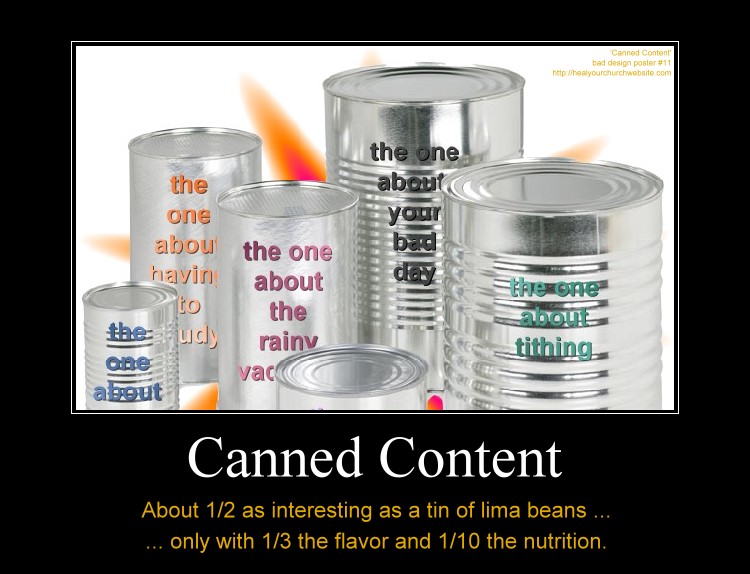
  • Bad idea design poster #11 – Canned Content

    One of the things myths I’ve heard from attending my share of  Word Camp Raleigh events is that template systems are somehow a magic bullet to a successful online marketing campaign.

    Canned Content, about 1/2 as interesting as lima beans with 1/3 the taste and 1/10 the nutrition.

    Not that there’s anything wrong with terrific tools such as  Thesis, Headway, Genesis, and Builder; nor the premium themes one can purchase for them.

    Rather I’m hoping that along with the discussion of getting a fast start with premium framework themes and plugins that we also remember what usability guru Jakob Nielsen said about ‘Information Foraging‘ back in 2003 when describing how to catch and keep visits from data hungry first time visitors:

    The two main strategies are to make your content look like a nutritious meal and signal that it’s an easy catch. These strategies must be used in combination: users will leave if the content is good but hard to find, or if it’s easy to find but offers only empty calories.

    Basically, Nielsen is detailing how to attaining user-activity goals through the careful crafting compelling content and the navigation to it – known in the web strategy/analytics world as a ‘conversion funnel.

    So it is my hope that amid discussions on how to make our blogs look  ‘different like everyone else’ via various rendering engines, that we also take some time to talk about how-to develop a sensible information architecture that best suites the goals of your church and/or charity.

    Put another way, we need to remember that if  “Web users behave like wild beasts in the jungle …,” then we probably want to avoid taunting such ‘Informavores‘  with ‘canned content’  when in fact only raw meat will satisfy their hunger.

    In other words, just because a number of the speakers are justifiably and understandably using this conference as an opportunity to sell their template and plugin wares – it shouldn’t be to the exclusion of those in attendance whom are seeking help with all the other aspects that go along with establishing an effective web presence.

    Meanwhile, if you’re headed into town, let me know. If you can’t make the event, keep in mind that there’s a “SitePoint Podcast coming to WordCamp Raleigh.”

  • Making a Ready Defense by Planning for Failure

    Originally published May 2, 2008, made some formatting adjustments, and bumped this up.

    Bad church web design poster 0008 - contingency planningThose who fail to plan, plan to fail. While this aphorism is very worn, it is also very true. Here are some simple things you can do with mysqldump, crontab, tar/gzip and a little contingency planning to insure you don’t lose your sanity when your server crashes upon the shoals of of virtual disaster.

    Check out these recent tales of real-life virtual horror as told by a variety of news sources from around the globe:

    • The outgoing Italian government posted the entire population’s tax returns on the internet causing a mad scramble which crashed the system.
    • Obama supporters were in for a surprise Monday when an attacker executed code on Barack Obama’s Presidential campaign Website that redirected users to Democratic rival Hillary Clinton’s campaign site.
    • According to police reports, a computer was stolen from the ADT Home Security branch on Sunbeam Center Drive sometime between April 12th and April 13th.
    • Tens of thousands of people were feeling short changed last night after a massive system failure wiped out all the Northern Bank’s ATMs.
    • A statewide computer problem again hobbled the state’s digital driver license system on Friday.

    The point is, hardware failures, power outages, software bugs, stolen computers, cross site scripted SQL injections, and/or zombie induced denial of service attacks can all turn your church and/or charity website into a tub of techno-mush quicker than you can recurse a binary tree.

    The only real defense against such failures is to plan for them – anticipating them in three ways:

    • backing up your data
    • moving your backed-up data off site
    • having and practicing how to restore backed-up data

    Here’s a very simple snippet from an oldie but goldie article entitled “How to backup your MySQL tables and data every night using a bash script and cron:”

    #!/bin/sh
    # backup data
    mysqldump -uroot -ppwd --opt db1 > /sqldata/db1.sql
    mysqldump -uroot -ppwd --opt db2 > /sqldata/db2.sql
    # zip up data
    cd /sqldata/ 
    tar -zcvf sqldata.tgz *.sql
    # email data off-site
    cd /scripts/
    perl emailsql.cgi
    

    The article also displays a script on how to email the data off site, not a bad deal if your data is small – such backups being just as simple to restore with this dynamic command line duo of directives:

    tar -zxvf sqldata.tgz
    mysql -uroot -ppwd db1 < db1.sql
    

    Things get trickier when you have tons of data, in which it may play into one’s restoration plan better to backup and restore a database by individual tables. Here is a set of articles that describes how to do this that includes some script examples you can modify to suite your needs:

    Either way, then it is just a manner of putting the shell script on a timer, or in the vernacular of crontab:

    1 3 * * * /usr/home/mysite.com/prvt/tbak.sh > /usr/home/logs/tbak.log

    If either of these shell script, bash-based approach seems to complex then perhaps one of the control panel, web-based method offered by UpStartBlogger’s post “8 MySQL Backup Strategies for WordPress Bloggers (And Others)” will do the trick.

    Here are some other related articles that might help, the last two include automagic date stamping of the backup files:

    The bottom line is this: just Peter implores us to make a ready defense in 1 Peter 3:15, so I’m asking you always be ready to make a defense to anything that endangers the data that is on your system so you’re not found tearfully dissheveled cowering in a corner meek and fearful, mumbling something about how you should have planned for such failures.

    You’ll be glad you did – probably at the most inopportune time possible.

  • 12 Days of Jesus Junk – Day 5 – Speak Clearly

    Even if you haven’t read the latest writings of Steve Krug, Jakob Nielsen or Luke Wroblewski, it doesn’t take a ‘Rocket Surgeon‘ understand the wisdom the “duck test” which according to the all-knowing Wikipedia asserts:

    If it looks like a duck, swims like a duck and quacks like a duck, then it probably is a duck.

    Which is why I find myself  a little bit confused when stumbled onto the  ‘Jesus Christ Celebriduck Limited Edition Collectible Rubber Duck‘ parodied in the instructional poster below:

    12 Days of Jesus Junk - Day 5 - Speak Clearly

    Call me old school but as I recall a rubber ducky is, as Ernie of Sesame Street so aptly described in song a “ .. little fella who’s Cute and yellow and chubby …

    Now I know what some of you are thinking “Dean, you dope, the Celebriduck is a collector item thing … of course it doesn’t look like a duck!” …

    … kidding aside, I already figured out it’s some niche merchandise marketed who also speak other arcane dialects such as “Beanie Baby” … but that gets to my point!

    Using insider jargon-eze is a sure fire way to relegate your website the non-desirable’ SEO’ known as ‘search-engine obscurity.

    Consider this:  in the U.S. 1 in 3 adults is unchurched. Meaning 1 in 3 adults don’t understand the ‘church-speak‘ that bables-up and out of expensive color brochures, sermon videos and web sites.

    So when it comes to the purpose and personality of your organization, speak clearly and say it plain. Tell visitors precisely what THEY seek in terms THEY understand.

    Put another way, by avoiding ‘clique chat‘  you’ll not only make your site more usable to individuals trying to find what you have to offer, but you’ll also help avoid spending $5k on a Search Engine Optimization (SEO) expert.

  • 12 Days of Jesus Junk – Day 4 – Unreadable at 11:23

    Even though I’m a software guy, I think if I were asked to design a religious-themed wall clock I might steer clear of some of the usability issues I find with the Jesus Christ Carrying Cross Christian Theme Wall Clock parodied below:

    12 Days of Jesus Junk - Day 4 - Unreadable at 11:23

    What usability issue? Well if I’m a user sitting across the room at 11:23, and possibly at 4:55 and 8:05, I might find it hard to see what time it is because of the dark black lines of the artwork create a dark black background for the thin black arms of the clock.

    So what has this got to do with my church or charity website? Glad you asked.

    What we want to take away from today’s example is the concept that part of a successful user interface isn’t just design that looks good (not that I find the clock artwork all that inspiring) — but also a design facilitates a positive and productive user experience.

    This can be measured in ‘conversion rates,’ that is the rate at which the user successfully uses the website (or clock) to accomplish some item of work or information gathering.

    This means we need to avoid design elements get in the way of a web page’s core functionality, otherwise we’re left with the antithesis of conversion – the user abandons the product – often quantified as the ‘bounce rate.

    To help avoid this common pitfall, I offer this “fast five” lists of things to remember when designing a webpage:

    1. You are not your user;
    2. solve their problems, don’t burden them yours;
    3. don’t assume all any of your users are idiots;
    4. engage in user testing – where non-geeks attempt simple, common tasks; and
    5. when a problem and/or encumbrance by a user is reported – do what it takes to provide the user a clear path to operational/work-flow success.

    On that last point, think Amazon.com, the premier example of conversion goals in action. When they hear of something that gets in the user’s way – even if it sounds stupid – they fix their site to accommodate the customer.

    I’d recommend doing the same, perhaps starting with some good-old-fashioned hallway testing and moving out from there.


  • 12 Days of Jesus Junk – Day 3 – Avoid Wipeouts

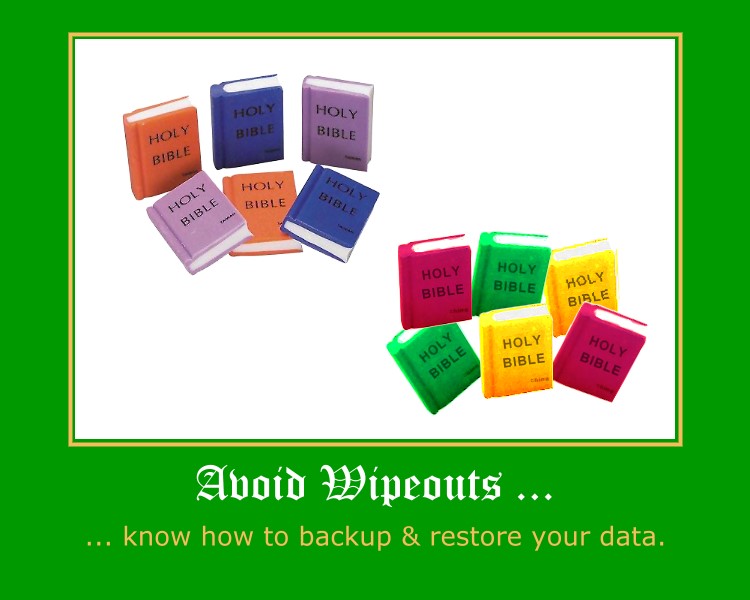
    Nothing says “wipe-out” like a cheap little Holy Bible eraser.

    12 Days of Jesus Junk - Day 3 - Avoid Wipeouts

    And while the product parodied above is applied a slightly different meaning of “fail” the point is hardware failures, power outages, software bugs, stolen computers, cross site scripted SQL injections, and/or zombie induced denial of service attacks can all turn your church and/or charity website into a tub of techno-mush quicker than you can recurse a binary tree.

    The only real defense against such failures is to plan for them – anticipating them in three ways:

    • backing up your data
    • moving your backed-up data off site
    • having and practicing how to restore backed-up data

    Here’s a very simple snippet from an oldie but goldie article entitled “How to backup your MySQL tables and data every night using a bash script and cron:

    #!/bin/sh
    # backup data
    mysqldump -uroot -ppwd --opt db1 > /sqldata/db1.sql
    mysqldump -uroot -ppwd --opt db2 > /sqldata/db2.sql
    # zip up data
    cd /sqldata/
    tar -zcvf sqldata.tgz *.sql
    # email data off-site
    cd /scripts/
    perl emailsql.cgi

    The article also displays a script on how to email the data off site, not a bad deal if your data is small – such backups being just as simple to restore with this dynamic command line duo of directives:

    tar -zxvf sqldata.tgz
    mysql -uroot -ppwd db1 < db1.sql

    Things get trickier when you have tons of data, in which it may play into one’s restoration plan better to backup and restore a database by individual tables. Here is a set of articles that describes how to do this that includes some script examples you can modify to suite your needs:

    Either way, then it is just a manner of putting the shell script on a timer, or in the vernacular of crontab:

    1 3 * * * /usr/home/mysite.com/prvt/tbak.sh > /usr/home/logs/tbak.log

    If either of these shell script, bash-based approach seems to complex then perhaps one of the control panel, web-based method offered by UpStartBlogger’s post “8 MySQL Backup Strategies for WordPress Bloggers (And Others)” will do the trick.

    Here are some other related articles that might help, the last two include automagic date stamping of the backup files:

    The bottom line is this: just Peter implores us to make a ready defense in 1 Peter 3:15, so I’m asking you always be ready to make a defense to anything that endangers the data that is on your system so you’re not found tearfully dissheveled cowering in a corner meek and fearful, mumbling something about how you should have planned for such failures.

    You’ll be glad you did – probably at the most inopportune time possible.
  • 12 Days of Jesus Junk – Day 2 – Think Globally!

    As once again the  TSA reminds us that Christmas Snow Globes a threat to National Security, I thought it might be a good time to talk about the wide-World of bad-guys and some simple things you can do to guard your site from a potentially explosive situation.

    12 Days of Jesus Junk - Day 2 - Think Globally

    Unlike the 5.5″ The Kneeling Santa Claus Musical Christmas Water Globe parodies above, there are some real threats to your website that are an unfortunate aspect of the “World Wide” nature of the Web.

    Specifically, I’m talking about the army of professional hackers employed in far flung regions such as China, Nigeria and of course what is now the former U.S.S.R.

    For that, I recommend a modification to your  .htaccess file such as:

    <Limit GET HEAD POST>
    deny from 218.25.161
    allow from all
    </LIMIT>

    If you look close, I’m only using 3 levels of the IP address to 218.25.161.0 through 218.25.161.255.

    And where does one get a block of  IPs to block? Glad you asked …

    Pre-fabricated blacklists to block IP addresses of entire countries:

    A bit more on .htaccess and mod_access:

    Just remember to keep good backups of whatever files you’re working on – and try not to lock yourself out while experimenting with changes!

  • 12 Days of Jesus Junk – Day 1 – Hallway Testing

    I’m sure the makers of the Gemmy 6ft Airblown Inflatable Christmas Nativity Scene parodied below were not trying to assert that Jesus was of Aryan descent:

    Avoid accidental message myopia by subjecting all your design work to hallway testing

    So how do we avoid the type of ‘accidental-message-myopia‘ that produces a design that includes a not-so Middle-East,  blond haired (and possibly blue-eyed)  baby Jesus?  Two words “Hallway Testing.”

    The Wikipedia describes hallway testing as:

    Hallway testing (or hallway usability testing) is a specific methodology of software usability testing. Rather than using an in-house, trained group of testers, just five to six random people, indicative of a cross-section of end users, are brought in to test the software (be it an application, web site, etc.); the name of the technique refers to the fact that the testers should be random people who pass by in the hallway. The theory, as adopted from Jakob Nielsen’s research, is that 95% of usability problems can be discovered using this technique.

    In short, hallway testing is the simple act of accostingI mean drafting … I mean enlisting 5 or 6 random individuals to inspect your designs to insure among other things, you’re not overlooking some detail great or small that accidentally sends the wrong message.

    I know it’s an extra step in the web design process, but when one considers alternatives as the above parody poster depiction, it’s probably worth it.