Category: Fast Five

  • 5 things we can learn from my 7:40 AM Thanksgiving wake-up call

    I believe it was the slam of a large piece of plywood falling 2 some-odd stories onto other lumber that rudely awoke me at 7:40 AM this Thanksgiving morning.  An no, I couldn’t go back to sleep as the hum of a noisy air compressor placed precisely next to the property line driving the pneumatic hammers were equally annoying. That was the scene at my home this holiday.

    trash next door
    trash heap at 5244 levering mill rd, apex, nc

    D&G Builders of Fuquay Varina proceeded to work on a new house.

    A house next door being constructed on behalf of PenfieldHomes.com.

    And after a few emails and phone calls to a project manager of construction who informed me that “Mexicans don’t celebrate Thanksgiving like us …”

    So after telling said project manger that I didn’t want a feud, I apologized if anything we said or did offended (though I’m truly hard pressed to think of any such word or deed) – and he in turn called off the work squad – and I began to think of how similar situations can impact the peaceful operation of our church and charity websites.

    In other words, just as noisy neighbors and/or construction are a nuisance in the real world, so too can the virtual home of our organization’s web presence can be disrupted by inconsiderate acts.  Here are some analogies that come to mind:

    1. Noise
    I had an experience lately where some blogs I run on a shared server were inaccessible due to the incoming noise from a bunch of spammers and ‘bots. This was because a neighboring domain sharing the same IP had put up a BBS in an unsecured fashion.
    2. Obstructions
    It’s only happened once, but a truck was recently parked that partially blocked our driveway. In the same way, access to your site can be obstructed in part and/or in whole when those working on and/ror running the website ‘next door’ with an improperly parked modules and/or run-away program that consumes all the server’s memory and ports.
    3. Trash
    Nobody like’s picking up someone else’s garbage. My wife is no exception, as she recently found herself picking up unsecured McDonald’s bags that had blown into our yard. In the same way, neighboring website projects can also leave rubbish in the form of temporary files, no-longer used compiler settings and the like.
    4. Boundaries
    The Wake County, NC ‘UDO‘  defines a minimum number of feet in which a new home structure can be built next to another, how much noise is acceptable and other fun stuff like that. However, just because these rules are on the books doesn’t mean they’re going to be enforced. Meaning, it is going to be up to me to look out for instances of encroachment. In the same way, don’t expect or assume the host of your shared server is going to have your best interest in mind. They don’t and won’t. It is up to you to be diligent be on guard for those times neighboring websites and/or webmasters wander into your domain – and to work within the boundaries of good citizenship and the rules to resolve such issues.
    5. Communications
    If possible, establish one point of contact and a protocol for those situations where you feel you’re on the receiving end of some inconsiderate instances or situations. For example, know the correct channels of communications for your web host, and if feasible, for your IP Neighbor. Similarly, understand that email, though convenient, can lead to a breakdown that leads to unnecessary and unfortunate bad blood. Especially true when individuals on the other side are already having a bad day due to some other unrelated inconsideration. In all cases, keep track and logs of all such communiqués as you never know when you’ll need them.

    Anyway, those are my thoughts this Thanksgiving morning as I ignore the slam of pneumatic hammer guns and the humming whir of the air compressor and set my thoughts onto some delicious Greek Chopped Meat Stuffing and football.

    Well that and all the wonderful ways in which I’ve been blessed, including my family, my friends, my job, my church, and also the hundreds of visitors to this site – many of whom have sent me private messages of best wishes. Thank you all. I’m very grateful for every remembrance of you (Philippians 1:3).

    And with that, here are some links to some other related articles I’ve posted in the past. These include some practical advice on “how-to” implement some of the safeguards, countermeasures and logging I’ve mentioned above:

    Now if you don’t mind me, I’m off to E-Bay and/or Craigslist to find an affordable ANSI S1. 2-1962 sound level meter to leverage. I’m hoping I don’t need it but one never knows.

  • 5 things more things about Christian spam email bombing runs

    Ever get that annoying email from a church, friend, and/or family member who ‘accidentally‘ sent a rant to everyone in their address book and/or a group-related email directory? With the recent election, my wife and I have been getting more than our fair share.

    And while I’ve written about how to address ‘Christian SPAM‘ in the recent past, I wanted to share with you my most recent response to what I sub-categorize as Christian SPAM email bombing runs (CSEBRs):

    – – – § – – –

    Hi {name withheld to protect the guilty};

    Next time we get together, make sure I spend about 5 minutes on my laptop showing you 5 cool — and free — things about the web that don’t rock like it’s 1995. For example:

    • Twitter – a “microblog” mechanism that lets you post 140 characters on any topic you want as often as you want. This is especially great as you’re standing around bored, upset, amused, and/or excited about things while equipped with nothing more than your cell phone. For an example, check mine out at http://twitter.com/deanpeters – no great shakes, but I’ve got enough subscribers whom seem interested.
    • Facebook – a social networking service where friends and families can subscribe where you can post thoughts like the ones below and then engage people in dialog and/or banter as they can post comments, etc .. It’s also a nice place to throw out some family pix. If you’d like, I can also show you how to “plug-in” a Facebook app that update to your “wall” every time you post on Twitter (synchronization is an amazing thing). Here’s a link to my profie http://is.gd/6MgW … note how I used the http://is.gd mechanism to shorten the URL.
    • Blogger.com – now I know Twitter and FaceBook have obviated bloggery to some degree, but I still love it as it allows me to venture deep into topics I enjoy such as healing church websites and the Hashemite Kingdom of Jordan. Moreover, less constraints on what I can post – and if you like, you can make some buck$ via instruments like Google’s adsense. Oh BTW, I’ve got my WordPress-driven blogs set up with the ‘twitter tools plugin‘ to update my Twitter and Facebook pages when I post. Best thing, again, people can subscribe to your blog’s RSS feed to keep up to date.
    • Google Reader – note I’ve mentioned subscribe 3 times now. All of the above allow individuals to subscribe either through the site’s syndication feed (RSS) and/or through email alerts with links to the juicy and compelling content. And not just from annoying friends like me, but any blog, news wire, newspaper, microblog and/or social network to which you’re inclined to observe.
    • BCC – finally … and I can’t stress this enough … if you must use email, that’s cool. But please, do me and others on your distribution one favor – use the BCC mechanism to distribute the email. Blind Carbon Copy is cool in that it’ll protect your friends, family and loved ones from nasty spammers and idiots like me from exposing their email addresses “into the wild.“Oh, and if you use a free email service like gMail, you can create categories for both incoming and outgoing email addresses – which is really handy when you quickly send out email broadcats to select groups of your address book (using BCC of course).

    Anyway, have a great Sunday – and give  {spouse name withheld to protect the innocent} a hug from us.

    Your (annoying) friend;

    Dean

    – – – § – – –

    Feel free to use any portion of this email to respond to Christian SPAM email bombing runs aimed in your direction. Or better yet, just send them a link here.

    I’ll be glad to respond to their rationalizations and excuses by explaining how the are endangering the tax exempt status of their church by dumping a political kvetch on the Sunday school rolls.

  • 5 ways to save fuel and staff costs by screencasting webinars

    One of the more painful big money issues facing churches and charities are upcoming energy costs that will consume more funds once allocated to other endeavors; while forcing some locations to have black-out dates to reduce the high cost of heating a facility during off-hours. Not to mention the rising costs to staff and laypersons to drive to said locations during the week.

    With such exorbitant expenses in mind, there are many online technologies now available to an ever growing bandwidth-enabled congregations that will allow them to save money by moving mid-week meetings and classes out of bricks-n-mortar places and into the web space.

    Screencasting

    Save fuel & frustration by Screencasting webinarsA good example of this is Screencasting, which the WikiPedia defines as:

    “… a digital recording of computer screen output, also known as a video screen capture, often containing audio narration … recent products support more compact file formats such as Adobe Flash and have more sophisticated editing features allowing changes in sequence, mouse movement, and audio.

    Just as a screenshot is a picture of a user’s screen, a screencast is essentially a movie of what a user sees on their monitor.”

    However, it is an ‘how-to-screencast’ article I found over at Smashing Magazine that finally got me inspired to post on the topic of remote learning – especially when the author of the article asserts:

    “Some companies have made a living creating a sort of “virtual classroom,” allowing members to learn at their own pace when they have the time using video tutorials. The advantages of the classroom setting stem from a one on one experience and the ability of the instructor to show the ideas and theories rather than simply explain them.”

    More on how you would apply this in a moment, but first, let’s talk about what we’re screencasting …

    Webinars

    Also known as web-conferences, webinars allow groups to conduct live meetings or presentations over the Internet. In a webinar, each participant sits at his or her own computer and is connected to other participants via the internet. This can be either a downloaded application on each of the attendees computers or a web-based application where the attendees will simply enter a URL (website address) to enter the conference.

    In some cases, the audio is conveyed over a dial-in phone conference channel, though I’ve heard of cases where small conferences reduce costs by employing Skype for the audio portion – be warned though that such alternatives fall into the perilous category of “you get what you pay for.

    Some companies that offer some moderately priced webcast solutions are (in no particular order):

    Recite live once, record and re-use often
    Some of the above systems also provide easy methods for “hitting the record button” to create screencasts of your webinar … allowing you to present once, but view often anywhere, at any time. That said, make sure you can move such videos off their storage (for which they charge) and onto a plaftform like YouTube.

    That said, you may want to employ the tools cited in the Smashing Magazine Article including Snapz Pro X, iShowU, and Screenflow for the Mac or Camtasia Studio 5, CamStudio, Adobe Captivate, and Wink for Windows, or Screencast.com that works on both.

    There are also some other high-end webinar solutions that certainly “have it all” but are as a result are more expensive to use are: WebEx, LiveMeeting, Adobe Connect Pro, and Elluminate.

    Putting it altogether

    Now start thinking along these lines:

    1. Screencasting the slides and audio from last Sunday’s sermon and/or Sunday school class for those who may be physically impaired or otherwise unable to attend in person;
    2. Providing a study series of Bible studies and/or how-to-lessons that you present once online live, then offer for view over and over and over again to anyone at any place on the planet at any time of day or night;
    3. Record an online tour of what a visitor can expect when they arrive, where to register, where to take the kids, and where to find the free donuts and coffee (.… mmmmm …. donutsssss);
    4. Leverage the relatively inexpensive international conference calling capabilities of some of these services to hold in-the-field meetings with missionaries and/or on-the-road lay-staff (like I should have done via ReadyTalk last year while in Jordan or Malaysia); and/or
    5. Hold committee and staff meetings – even if you don’t record them – allow staff and laypersons to simply conference in from the comfort of their den, library, kitchen table, man-cave, etc …

    It’s not as expensive as one might think, and compared to the cost of heating an entire building wing to hold a single, 30-minute committee meeting in a single room, it might be a real steal.

    (Oh who am I kidding? Who ever heard of a 30-minute church committee meeting? Gad, I crack myself up sometimes!)

    There’s also the saving in gas and time realized by not having everyone – especially staff members – come (back) to the church during the evening for such weekday meetings.

    With all these cost vs. savings issues cited, I strongly recommend you at least read the advice offered in the Smashing Magazine article entitled ‘Screencasting: How To Start, Tools and Guidelines‘ as a matter of of stewardship.

  • Follow-up: bad church web design inspired by bad theology

    Judging from the feedback on my last post – I’ve either let you down or built you up. To those who were critical, thank you for your honest comments in love. It is always welcome. To those who sent private form-feedback, I’m glad I was able to encourage you. To those confused – I think I need this follow-up post to clarify some points.

    Augustine of Hippo Refuting Heretic

    While I never want to “go cheap” with gratuitous controversy, there’s no ignoring that I’ve touched some nerves in asking ‘Does bad theology induce bad church website design?’

    I am personally very intrigued that in both public comments and private email/form responses that I’m receiving not many communications that are “in the mushy middle.” So with that, I’m going to dig into this topic a little bit more and then move on.

    First

    It wasn’t my intent to start a raging debate over water baptism. It’s just that personally, I find it a bit of a contradiction that those who’d slap ‘cult’ labels on denominations for infant baptism would on the other hand hold up the physical act water baptism as a requirement of who is in and who is not.

    What I take from the Gospels was that Jesus was always impressed by those who demonstrated faith. Take for example the centurion or the thief on the adjacent cross. So too I’d think it is faith, and not a physical act that is what is important here.

    Moreover, of the three theological points I … um … pointed out, that was the one I had the least trouble with regarding the site … um … cited. That I received no feedback on the erroneous assertions that Seven Day Adventists are cultists or that man has no sin nature bother me far than the whole baptism thing.

    BTW, I was baptized as an infant, but later in life stepped out on faith and was baptized as an adult – demonstrating said faith as the person baptizing me quite literally, and accidentally, let go and let Jesus manage the event as I leaned backward into the baptismal pool. It was all I could do to keep from laughing underwater at the ironic prospect I might perish in the process of “dying to self.

    Second

    I think I failed to make my point because I only presented one website as an example.

    My bad – in part because I think in part because as always, I wanted to present 5 things we could learn from the poorly design website in question.

    Ergo, I offer web sites 5 more examples of sites that demonstrate web design as questionable as the apologetics they espouse:

    1. All Men are Saved – asserting that everyone gets in by employing every font to every argument on one long page. Most annoying and unusable are those points of emphasis that are underlined – leading users down an errant path to thinking such text leads to hyperlinks – when they in reality lead to nowhere.
    2. The Robert Brow Model Theology Web – a webmaster who takes as much license with both semantic HTML as he does in various teachings regarding relationships that don’t involve penetration … while ignoring lessons learned in Matthew 5.
    3. Brother Jed Smock – claims to be the foremost campus evangelist in the USA, only no one will every know because not only does he hinder access with a splash page, but further hides his message under a basket by using graphics to represent text that’d otherwise get indexed by a search engine.
    4. Demonbusters – which not only asserts that all problems are demonic, but demonstrates how to “return all curses sevenfold” by abusing it’s readers by shouting at us in ALL CAPS ALL THE TIME!
    5. Exposing Those Who Contradict – a site by L.Ray Smith that rails against the doctrine of eternal damnation, asserting that evil is a creation of God through a couple hundred articles that one must sift through by title all on the home page rather than through a much more usable mechanism such as a site search engine.

    Third and finally

    I think where I really let everyone down was not first providing why I often connect bad theology as a contributing factor to bad church website design. So here goes:

    Along with a Master’s in Computer Science, I hold a BA in Music. What the combination of both disciplines have lead me to think is that any good artistic or coding endeavor – or in this case good web design – is in part a matter of hearing good doctrine, and then doing it. Sound familiar?

    So I’m thinking how can we reasonably ask individuals engaged in lazy, misguided, and/or stubborn on points of Scriptural doctrine to act in a manner different in terms of practicing tenets of good church website design?

    Put another way, can we reasonably expect someone who might assert that something like … oh I dunno … um … speaking in tongues as the only proof of Baptism in the Holy Spirit to reasonably be hearers and doers of … oh let me think … semantic HTML or usability in navigation?

    Anyway, though I think I’ve exhausted this topic, I want to thank EVERYONE for their form feedback, public comments and/or email – both encouraging and critical. I appreciate it and hope everyone feels free to continue doing so in the future.

  • Does bad theology induce bad church website design?

    Is it just me, or is there a correlation between flimsy theology and flaky web design?Doh! A site so badly design, you'd think Homer did it!

    Seriously, having reviewed hundreds of sites after sifting through thousands since May of 2002, I have to believe there is some linkage between bad theology and worse web designs.

    Case in point, “Bible Truths” which among its barrage of kitschy animated gifs and cheesy graphics, this site erroneously preaches:

    Fortunately, here’s one case where webmaster Don Martin (no, not THAT Don Martin)  obfuscates the site’s not-so-compelling content by rendering plain text with the same color as the hyperlinks (usually not a good idea, but in this case I’ll make an exception).

    Had the latter not be underlined, I may have never come up with 5 things we can learn from this FrontPage induced visual assault:

    1. Just as tricks are for kids, so too are animated gifs are for silly rabbits.
    2. If you have to say “click on the door to enter …” on the graphic link into the website’s site map, then it means the whole point of a picture saying 1000 words is lost here.
    3. Don’t use the evil marquee tag to tell people how to navigate back to the page their currently on. It distracts while potentially causing the user to ‘use your “Back”‘ button at the wrong time.
    4. Why hide the light of your site search engine under a basket? Make it VERy conspicious on EVERY page.
    5. Using images for page, sermon, lesson and other titles instead of text to represent text means said information is hidden from Google and Yahoo.

    Of course none of this matters without a theological make-over. But let’s say by some miracle it happens, then I’d also recommend the webmaster consider the following tools to better organize, maintain, and serve up said content:

    • drupal – especially leveraging add-ons for books and lessons
    • moodle – an open source application created to manage coursework
    • mediaWiki – a great tool for enumerating encyclopedic information

    So whatta you think? Leave a comment, in love!

    UPDATE 10Jul08  – after you’re done here, check out the follow-up article entitled ‘Follow-up: bad church web design inspired by bad theology.’ It might clarify some concerns or questions you have – or it just might make ya all the madder !-)

  • How to lovingly respond to Christian spam

    Is there anything worse than spam from fellow Christians ?Who knew joining a new church or Bible study could be so dangerous? That was my thought at my last church after I mistakenly shared my email with other members of the Sunday morning Bible study – as no sooner than I had gotten home I began to receive emails about how Madalyn Murray O’Hair is conspiring with space aliens from the grave to take images of the Cross off the airwaves.

    And no sooner had I responded, nicely and in Christian love to please stop forwarding me such ‘hoax mail‘ did I receive a scathing reply accusing this died-in-the-wool conservative of being a commie pinko, tax-n-spend liberal whose Christianity was called into question for even for a second considering any and all such messages to be urban legends … let alone spam.

    I think I still have some on file that I need to dig up just for grins … but I digress.

    The point is, most members of the HYCW audience are in the same camp as I. That is:

    1. We prefer to get our latest and greatest news updates from our feed aggregators, not email. We assume this of our friends as well;
    2. We tend to not believe everything we read but instead take Paul’s advice to the 1 Thessalonians 5:21 and “test everything” against the snopes urban legend database;
    3. We believe that there is no need to cut-and-paste any article that is on the web when it is far more considering to write a single original sentence describing why the content is so compelling that ends with the URL of online article;
    4. We get really, really grumpy when we see our email addresses exposed with several hundred in the others by an individual forwarding a message without the benefit of using or understanding the purpose and benefits of their email program’s BCC feature; and
    5. We’ve received enough of this Christian spam that we don’t even bother to read it before summarily pressing the delete button.

    so ask yourself - how do you teach, rebuke, correct & train your Christian spammy friendsBut enough about ‘we’ as this unfortunate but all-to-common occurrence raises the uncomfortable question “how does one go about teaching, rebuking, correcting &/or training such a ‘friend’ in righteous email netiquette?

    Glad you asked.

    As I recall the numerous instances where I was excoriated for:

    • asking nicely not to be included in such distributions;
    • informing the sender that the content was probably false;
    • that exposing my email address in such distributions potentially exposed me to professional spammers further down the chain; and
    • anything worth cutting and pasting is probably already posted as a page on the web;

    I realize that there’s no need for this messenger to continually expose himself to such emotional gunfire when there are already a number of web pages and services that will do the dirty work for me.

    Most recently, the good folks over at LifeHacker fielded a poll entitled “Email Etiquette Pages Explain So You Don’t Have To” – offering individuals to vote on which ‘tell a friend they’re spammin’ya crazy‘ service they use:

    • Thanks. No – for opting out of all types of unwanted email;
    • BCC Please – for requesting the sender doesn’t expose your email address to a large list;
    • Sentenc.es – for explaining your email brevity; and
    • Waiting-For.com – to let your recipient know you’re waiting to hear back from them.

    Had said survey not been closed, I might have possibly recommended some other pages that also go into detail over what’s proper and what’s not in terms of one’s SMTP activities, including:

    use this service the next time you get hit with Christian spamNote that I said “I might have possibly recommended some other pages” … this is because old ‘never met a Software as a Service he didn’t like’ author has found via the folks at AppScout a nice, free little online service offered by the generous and thoughtful folks at StopForwarding.Us.

    What this neat little online tool does is simply send an anonymous email to the church spammer of your choice that sheds the light truth on said sinner’s incorrect use of the forward feature on their email program. Here’s a sample I sent myself:

    Hi Dean is testing this service,

    One of your friends has sent you this message from StopForwarding.Us, a website that allows individuals to anonymously email their friends and politely ask that they stop the habit of sending forwarded emails or FWDs.

    Please do not forward chain letters, urban myths presented as truth, potentially offensive jokes, videos or photos without being asked or first receiving permission. If you find something that is funny and it is clean and you genuinely think the recipient will enjoy it then foward it to that person only (not in an email blast to all your friends and family) and include a personal note about why you enjoyed it and why you think they will too. Avoid sending forwards to friends or relatives that you’ve grown distant with. It can be frustrating for the recpient when the only correspondance you have with someone is via impersonal, unwanted email.

    For more tips on email etiquette, visit StopForwarding.Us/etiq.html

    Thank you,
    A Friend (via stopforwarding.us)

    And if that doesn’t work – send’m here to this post for a dose of tough love.

    Now pardon me while I get some wiki work over at blogJordan.com.

  • 5 things we can learn from the Winston-Salem Hampton-Inn Toaster Czar

    See why the Soup Nazi is a bad model for supporting users of your church and/or charity website .This weekend, I ran into an elderly gentleman whom appointed himself the ‘Toaster Czar’ in a fashion similar to the infamous ‘Soup Nazi‘ of Jerry Seinfeld fame. I made the mistake leaving my bagel momentary unattended to go get coffee while trying to enjoy the complimentary breakfast at the Hampton Inn Winston-Salem-I-40/Hanes Mall. Here are 5 things your church and/or charity webmaster can learn from this experience:

    1. don’t assume you know your user’s context;
    2. don’t assume you know your users work-flow;
    3. don’t assume you know what’s best for your user;
    4. don’t assume your user will appreciate your intervention; and
    5. don’t assume your user is stupid.

    Note that all 5 points deal with assumptions. For example, regarding context, one might assume that the individual pictured below is waving and saying “hellooo” – or they could be waving us off saying “noo.”

    bagels enjoyed in the public setting of the Hampton Inn Hotel lobby

    Another example, regarding knowing what’s best, thinking they are stupid and/or not understanding their work-flow, the aforementioned toaster czar possibly assumed that the unattended bagel in slots 1 and 2 of a 4 slot toaster were either:

    • done;
    • done enough;
    • abandoned;
    • in his way; and/or
    • there to annoy him

    Whether or not my opinion of his motives are correct, my view is that he potentially didn’t take into consideration the following user-centric scenarios:

    • some like to eat their bagels in the context of their coffee;
    • some like to engage in a work-flow that includes getting coffee while the bagel toasts;
    • some are confused when 1 slice of the bagel remains in the toaster while the other sits on the counter, replaced by some one else’s bagel half;
    • some lose their appetite when others not involved in food services touching their food; and
    • some don’t like being treated as if they are the problem when in fact all they wanted to do was toast their bagel and eat breakfast in relative peace.

    In the same way, you as church webmasters should consider that your users:

    • may like to consume your church website content in some other context other than initially planned – for example, aggregators and/or mobile phones come to mind;
    • may like to consume your charity website in an order other (work-flow) than initially imagined and/or programmed – for example, site navigation through search engines comes to mind;
    • may need more information when things operate outside of normal expectations – for example, more informative 404 errors for pages not found come to mind;
    • Click here to see a video about Nick Burns, a hilariously popular character of former SNL funnyman Jimmy Fallon.may get turned-off if they find content they contributed modified without annotation – for example, modifying a user’s comment on a church blog or bbs without noting it was edited by a moderator or admin will drive users away permanently;
    • may not want nor like the Jimmy Fallon/Nick Burns ‘Your Company’s Computer Guy‘ approach to web site support (let alone a communal toaster).

    Bottom line, don’t be a toaster czar.

    Treat users as you would guests in your house, not as idiot low-life’s whom annoy by making you wait an extra minute or two simply because they happened to get to the proverbial toaster 30 seconds before you did.

    In other words, you are not your users – so don’t assume you completely understand their interface to your system without collecting realistic and specific usage metrics and spending some time setting next to them while they demonstrate how they navigate your site the way they do, and why.

    What about you? Got a similar story or useful use case/test scenario to share? Leave comment in love!

    In the meantime I leave you with this aggregation from the above caricatures : “moooove … no soup for you!… was that so hard? … come back, 1 year … you’re Welcome

  • 5 things we can learn from the office candy machine

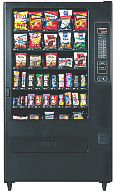
    Office vending machine filled with stuff nobody wants.I just overheard a useful conversation between two vending machine operators while loading up our office junk food dispenser with a bunch of products that didn’t sell last week. It is if nothing else, an object lesson in contrast to my oft quoted aphorism “solve their problems, don’t tell them yours.” Here are 5 things we can in turn do in contrast to improve the user experience on our church and/or charity websites …

    … but first a bit of context.

    Last week I was working late, so I went to the vending machine to purchase some sugar-free Dentyne chewing gum. The machine was out – so were most the low-cal, low-carb consumables. The next day I noted the machine restocked, only the empty slots instead of offering snack solutions for my health conscious office mates, instead the replenished racks included:

    • M&M’s – plain & peanut
    • Spicy Sweet Chili flavored Doritos
    • Mrs. Freshley ‘Original’ Jumbo Honey Buns
    • Mr. Piggy Fried Pork Rinds (I’m not making this up)

    Today, while capping off my coffee cup by the adjacent caffeine delivery device, I noted two gentlemen again restocking the junk food dispenser when one of the machine operators – possibly in training – asked the other “how do you decide what to refill it with?” the other immediately replying “... with whatever I have too much of, that’s how I decide.

    No, no, no, no, NO!

    Now granted, both these individuals are likely a bit more than minimum wage employees to a large, regional vending concern, so I don’t expect them to understand what’s wrong with said answer. However, the proprietor for whom they work should – and should train and equip these hard workers with information to become smart workers – that is provide them with data sheets on what’s hot and what’s not for a given office vending machine.

    Same rules apply for our church and charity websites. Here are 5 quick ones off the top of my head:

    1. Collect useful usage data – does your site have a mechanism for collecting useful usage data? Note, I said useful usage data. There are some counters and stats services that provide little more than a “hit count,” which in today’s age of search engines, aggregators, and spammers can give lead you down a path to decision perdition by including counts of visits by automated systems not interested in filling your pews.If you don’t know where to start, may I suggest incorporating Google’s Analytics on your website. Though not real-time, at the end of the day, it does provide you with a great idea on both what humans and bots are banging away at your site.
    2. Understand where the traffic is coming from – that is understand:
      • What search engines are sending the most traffic?
      • What keywords are being used with said search engines?
      • What keywords are being used on your own website’s search tool?
      • What other websites are sending you traffic?
      • How much direct traffic is there?
      • How much traffic is being driven from email applications?
      • How much traffic is being driven from aggregators?
    3. Understand what pages are hot – and also understand why pages are not. This should be pretty straight forward, but along with asking which page gets the most visits, also ask:
      • Entry pages – which page is the first e viewed by a visitor and/or which are the pages most attracting visitors?
      • Exit pages – from which page do visitors leave the most
      • Average visit duration – what is the total length of a user’s visit?
      • Average page duration – how long are pages is viewed?
      • Top path – what is the leading sequence of pages viewed by visitors from entry to exit?
      • Bounce rate – are there pages which users leave without visiting any other pages before a specified session-timeout occurs?
      • Error messages – where is the user experiencing some level of frustration due to errors? Information which could explain your high exit/bounce rates.
    4. Understand why pages are hot – In other words, regardless of which analytics tool you use, most can only point out WHAT pages are popular. That’s only half the picture. What you need to do is figure our WHY said pages are hot.Two examples: are two blogs I run, each of which have pages that appear to be popular due to their relevance to recent events:
      • HealYourChurchWebite’s most popular article is “How I fixed my Windows XP Stop c000021a {Fatal System Error} with Knoppix Linux” with the largest amount of traffic being driven in from Google searches on the keyword/phrase “Stop c000021a” … probably in response to she several crashes caused by a recent Windows XP SP 3 release that some speculate is responsible for said error.
      • BlogJordan.com ‘s most popular article is “The Petra Treasury Indiana Jones didn’t show you” – usually by means of Google and YouTube searches on the keyword/phrase “Petra Indiana Jones” and/or “Indiana Jones Petra” .. probably in response to recent showings of “Indiana Jones and the Last Crusade” on cable in response and anticipation for the release of “Indiana Jones and the Kingdom of the Crystal Skull.
    5. Establish and track conversion goals – I’m not talking about instances of baptisms or individuals asking Christ into their lives – though that is the ultimate goal here – rather I’m talking in this case of establishing goals and objectives for the website such as getting visitors to:
      • subscribe to the RSS feed for your sermon titles/series;
      • import your events calendar into your;
      • link your site on theirs;
      • fill out a “send me more information” form;
      • print your page that displays both directions and times of services; and/or
      • visit again, and again … and again.

    In other words, it doesn’t matter how cool, how Flashy, how seeker-centric, how Y-generation, how usable, nor how XHTML compliant your pages are … if you don’t collect useful metrics on your church and/or charity online presence you’re as good as flying blind …

    … which is okay until you crash into the mountain side of “no website visitors because you’re wasting gifts and talents on the wrong things …” or perhaps none at all as described in Matthew 25:

    “… he who had received the five talents came forward, bringing five talents more, saying, ‘Master, you delivered to me five talents; here I have made five talents more.’ His master said to him, ‘Well done, good and faithful servant. You have been faithful over a little; I will set you over much. Enter into the joy of your master.’ …

    … ‘Master, I knew you to be a hard man, reaping where you did not sow, and gathering where you scattered no seed, so I was afraid, and I went and hid your talent in the ground. Here you have what is yours.’ But his master answered him, ‘You wicked and slothful servant!”

    Don’t be like sloth-boy, add and analyze your web usage now – unless of course you want your web vending machine full of stuff nobody is buying.