Tag: mobile computing

  • What Record Sales of the Amazon Kindle Means to Your Church Website

    Yesterday , I was attracted by the Wired Magazine Gadget Labs  headline “Amazon: Kindle Books Outsold Real Books This Christmas.” According to a release cited in the article:

    “[the] Kindle has become the most gifted item in Amazon’s history …

    … On Christmas Day customers purchased more Kindle books than physical books.”

    Now unlike my good friend Vincent Flanders, I’m not ready to tweet:

    “RT @VincentFlandersThe bookstore is dead says Seth Godin http://bit.ly/8StlpZ

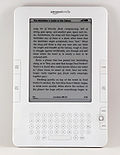
    Kindle 2That said, when I look at all the paper my own church consumes on a weekly basis, I have to wonder if we don’t have as a mission initiative keeping the fine folks at Dunder Mifflin employed (let the reader understand).

    This all got me to thinking, even though I’m not the type of guy who is going to chain himself to a tree – I do think judicious of resources falls under good stewardship – and that includes both natural resources as well as financial.

    Meaning, as we continue to see the emergence of digital media devices, such as the Kindle and/or smart phones, why not consider providing and/or publishing more and more of your organizations information in supported by such devices?

    Providing: let’s say you want to study Os Guinness’ “Dining with the Devil: The Megachurch Movement Flirts with Modernity”. The Paperback version is $12.82 not including the cost of shipping. The Kindle price for the same is $9.99. That’s about a 33% difference, again not including the cost of shipping.

    Publishing: each Christmas and Easter, I see many churches publish multi-page pamphlets that contain all the bulletins for all the services. These are nice as they provide continuity, but I can also see where they’re going to run the church and/or charity a few bucks – especially as people forget to bring with them their nicely stapled paper pile from the previous week.

    Yes, Amazon does get to keep about $0.65 of every dollar, but I do think there is a cost savings and possibly cost recovery even if your organization only charges the minimum $0.99 cents to sell your Advent Season bulletin on the Kindle.

    Similarly, what would be the cost of simply pushing out to your organization’s website the average, weekly bulletin out to PDF or HTML for consumption by those in your congregation armed with BlackBerry’s and/or iPhones? Other than setting up the router? Especially since they can then also use the same network to follow-along Scripture readings with the mobile version of the ESV Bible?

    Point is, I think it’s time to look around your church and/or charity’s offices and meeting rooms and see just how much paper could be saved by simply publishing the temporal stuff online.

    What are your thoughts?

  • 5 Simple Security Tips for the WiFi-ing Road Warrior

    As I travel to the Hashemite Kingdom next week, there are at least 5 simple things I can do to make my WiFi experiences a bit more secure. So can you, here’s how:

    During my upcoming journey to Jordan, I’ll have ample opportunities to consume the culture on a variety of levels – including the ever growing WIFI connections that now abound in the Hashemite Kingdom. This in turn will give any nere-do-wells an opportunity to consume my personal and private information; if not zombie-fry my laptop altogether. And while I believe there is no such thing as total mobile security – there are ast least 5 simple things I can do to inconvenience the lesser-determined bad-guys to the point they move onto the guy computing next to me waiting for the airplane to board.

    1. Connect Securely

    How do you know you’re securely connected to the wireless router at your favorite coffee shop? Simple, you have inconvenience the barista or the hotel staff for a WEP, or even more secure, WPA key to access the Internet.

    Yes, yes, yes, I know, WEP stinks in comparison to WPA, none-the-less, better a little hassle than to sign away one’s identity and security by confirming to use a ‘wide-open’ network.

    2. Tunnel Safely

    The problem with seeking out a WPA-PSK encryption is that many times, it just isn’t available. Merchants provide WiFi hot-spots as a competitive draw. It loses its return on investment if they find themselves busier teaching wireless laptop connectivity than selling biscotti.

    For those who don’t mind taking security matters into their own hands – or at least putting them into the hands of 3rd parties who provide VPN services; some for free. Here is a short list in alphabetical order:

    And for those on the road a lot, you might want to check to see if your hot-spot access service such as Boingo, iPass or TMobile/HS provides secure software.

    3. Surf Encrypted

    Many of us who buy stuff online already know to look for that little encryption lock in the status bar of our browser. However, have you considered looking for it when you login to an online email service?

    How about when you use the same password you use for everything when you login to a blogging service or bulletin board?

    Again, in cases where you are at the mercy of a service provider not offering secure logins and transactions, there are some not-so-stupid browser tricks you can employ – provided you have the right browser.

    For example, while gMail does provide a secure login, it does not provide encryption when I’m emailing you about my upcoming trip to Jordan. Same too when I blog this post using Google Docs.

    Fortunately, I use FireFox, which in turn allows me to plug-in the Customize Google extension, which in turn allows me to check an option to “Secure (switch to https).” Voila!

    Similarly, I Pidgin-Encrypt my instant messaging (not to be confused with the actual IM Pidgin Client, though the two are related).

    If I must to FTP, then I use SSH File Transfer Protocol (SFTP) – and when possible – using an encrypted zip file. Yes, I’m aware the PKZip password protection is inherently weak, but it’s stronger than nothing.

    4. Password Strongly

    All the security in the world won’t help me if I use the same password for everything, and that password is something relatively easy to guess or crack. For example … a login of ‘dean’ and password of ‘peters’ I would think would take even the lames of script kiddie all of 5 seconds to figure out.

    If you can’t figure out how to create a memorable but strong password, fear not. There are plenty of online services. Here are 3 that didn’t ask me who I was before generating some solutions:

    5. Speak Nothing

    Having spent some time with a top-secret security clearance, I know what the phrase “need to know” means:

    • the best way to keep a secret is not to tell anyone;
    • failing that, only tell the secret to those who must know;
    • never write anything down;
    • shred everything; and
    • trust no one.

    So asides from keeping our ‘yaps shut’ – this also means

    • turning off any file, printer and/or other fun network sharing;
    • turning on any firewall, spyware and anti-virus detection; and
    • depending on your operating system and configuration, shutting down open ports.

    Yeah, that last one is not too easy, but I figure if you’re savvy enough to run a server, you’re savvy enough to know you’ve got some entry ways your firewall may not catch (for the rest of you, just make sure your firewall application is running).

    Conclusion

    I know this last bit sounds a bit blunt – especially for those of you working with churches, charities and missions – especially that last point.

    But the last thing we need is to have our personal lives, our ministries and/or our livelihoods imperiled by an ever constant swarm of sinners who would think nothing of emptying out your bank account, ruining your retirement fun, and tapping out your travel funds to fun places like Jordan.

    Better to remain a little bit paranoid about private information so you can keep you mind on publicly pronouncing the good news that is Christ crucified and Christ resurrected.