
Tag: internet tools

  • 5 simple steps to stronger passwords

    Just as good fences make good neighbors, strong passwords make secure users. Put another way, if your pastor is using his first name as a login, and his last name as a password, it won’t be long before your website and/or email system begins spewing spam for various online services not usually associated with a church … or worse.

    What do I mean by worse? Glad you asked.

    All a hacker need do is to figure out the login and password to one privileged  account and that’s usually enough for them to then quietly get into the rest of your system and begin discovering sensitive information about your organization and/or its members.

    I mean imagine the emotional impact and legal/political ramifications that could arise by the publication of private data and/or identity theft resulting from a system compromised by weak password practices.

    Okay I’m freaking out, so now what? Glad you asked.

    Here are five things you can teach your users to do in creating and using stronger passwords:

    1. Avoid passwords based on repetition, dictionary words, letter or number sequences, usernames, or biographical information like names or dates;
    2. Include numbers, symbols, upper and lowercase letters in passwords;
    3. Password length should be around 12 to 14 characters;
    4. Don’t write down passwords where prying eyes can see them, like a PostIt note taped to the underside of one’s keyboard; and
    5. Avoid using the same password when registering with other online services.

    Easier said than done Dean. Yes, I know but …

    Unfortunately, getting laypersons and staff to use strong passwords is indeed easier said than done because by their nature, such passwords are harder to remember and guess.

    That said, one technique I’ve seen used with success is employing passwords based on easy-to-remember mnemonic phrases such as:

    • mYd0gh@sFleaz – or My Dog Has Fleas
    • @0ne4all2C – at 1 for all to see

    There are also a number of free online services that will generate a strong password if you’re having trouble thinking up one of your own, here are just a few:

    Along with that, here’s a link to a rather nice free online service that will rate your password’s strength against a number of the criteria mentioned above and then some:

    And if you’re too chicken to tell your church secretary that the name of her prize poodle isn’t going to cut it, just send him a link to this article. I can take it from there.

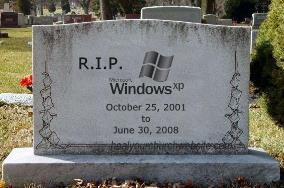
  • Pastors – wouldja please stop using WordPerfect 5.1?

    Too many pastors are still tethered to their office via their desktop word processor – at least if we can assume the numbers from a recent ReadWriteWeb are any reflection of how too few are taking advantage of online options such as Zoho Writer, ThinkFree Write, or Google Docs.

    In fact, according to the recent RWW poll & analysis entitled ‘Word Processing: Most of You Still Use Desktop Software,’ less than 25% of their tech-savvy readers use an online word processor as their main documentation tool.

    Here are the results from RWW‘s 2008 poll:

    • OpenOffice 16% (374 votes)
    • Microsoft Word 50% (1162 votes)
    • StarOffice (Sun) <1% (11 votes)
    • Another desktop word processor (please comment) 5% (109 votes)
    • A Text Editor (e.g. Notepad, Emacs) 7% (166 votes)
    • Buzzword (Adobe online wp) 1% (28 votes)
    • Google Docs 16% (374 votes)
    • ThinkFree 2% (42 votes)
    • Zimbra <1% (5 votes)
    • Zoho 1% (26 votes)
    • Another browser-based word processor (please comment) <1% (11 votes)
    • Other tool (please comment) 2% (36 votes)

    Results made all the more interesting when compared to a similar 2007 poll taken this time last year, which indicates use of MS Word is up 2%, while Open Office is down 2% … that said, Google Docs enjoyed a bump up from 11% last year to 16% this year.

    What has this got to do with my church and/or charity website? Glad you asked …

    One of the questions I would have like to have seen answered was “what version of Word are you using?” I ask this because the poll reminds me of the frustration I had at one church where I’d get weekly sermons to post online … sent to me by a pastor stuck on WordPerfect 5.1 … until later he got stuck on another loser in the desktop arena, WordPerfect for Windows.

    I’d spend an hour or two per sermon banging it into something resembling HTML , unable to convince the this excellent student of Scripture that the world was chaning, his word processor along with it.

    All of which makes me wonder here and now, I wonder how many of you out there are dealing with old operating systems running old versions of old word processors? Then I wonder, how much time is lost in getting the important and compelling content in sermons that could draw in literally draw in thousands of visitors and dozens of new members … if only it weren’t so doggone hard to get them from the old desktop application to the webspace.

    If you’re feeling the same pain or wondering the same thing, here are 5 quick points to consider:

    1. online word processing systems such as Google Docs have a publish feature, that can send a document straight to a sermons blog using any publishing software that supports XML-RPC;
    2. several online word processing systems have a shared/collaboration feature – meaning a pastor with a Windows 2000 based PC can work on the same document as his editor layperson equipped with a Mac at their office;
    3. moving from the desktop to the webspace means avoiding the confiscatory licensing and upgrade costs associated with desktop applications;
    4. a number of online word processing have import and export capabilities, allowing a pastor to revise an old sermon written in Word back in 2002, saving the new version back to their hard drive in Word, HTML, PDF or Word;
    5. you can go home for dinner … meaning staff need not stay at the office all night to work on a church budget, but instead can save the unfinished document just before leaving the office … then pick up right were they left off from the comfort of their home computer and browser.

    Yes, there are some concerns about privacy, ownership, and backups – but there are similar problems that exist with desktop applications as well – meaning there’s no SaaS substitute for good contingency planning.

    Oh and one other argument I might pose a pastor permanently stuck on dead desktop apps … “what % of the features on Word do you actually use?